HowTos
Getting Started with Reticulum
Installing and Configuring an LXMF (Messaging) client
In this example we will be installing the Reticulum MeshChatX app that is available for Mac, Linux and Windows.
Go to Reticulum MeshChatX then download and install the most recent version of the app for your operating system.
Run the program and go to the Interfaces section.
Click on + Add Interface and configure it as follows:
Name: HADARC Hub
Type: TCP Client
Target Host: hub.hadarc.org.au
Target Port: 7373
Click on Add interface
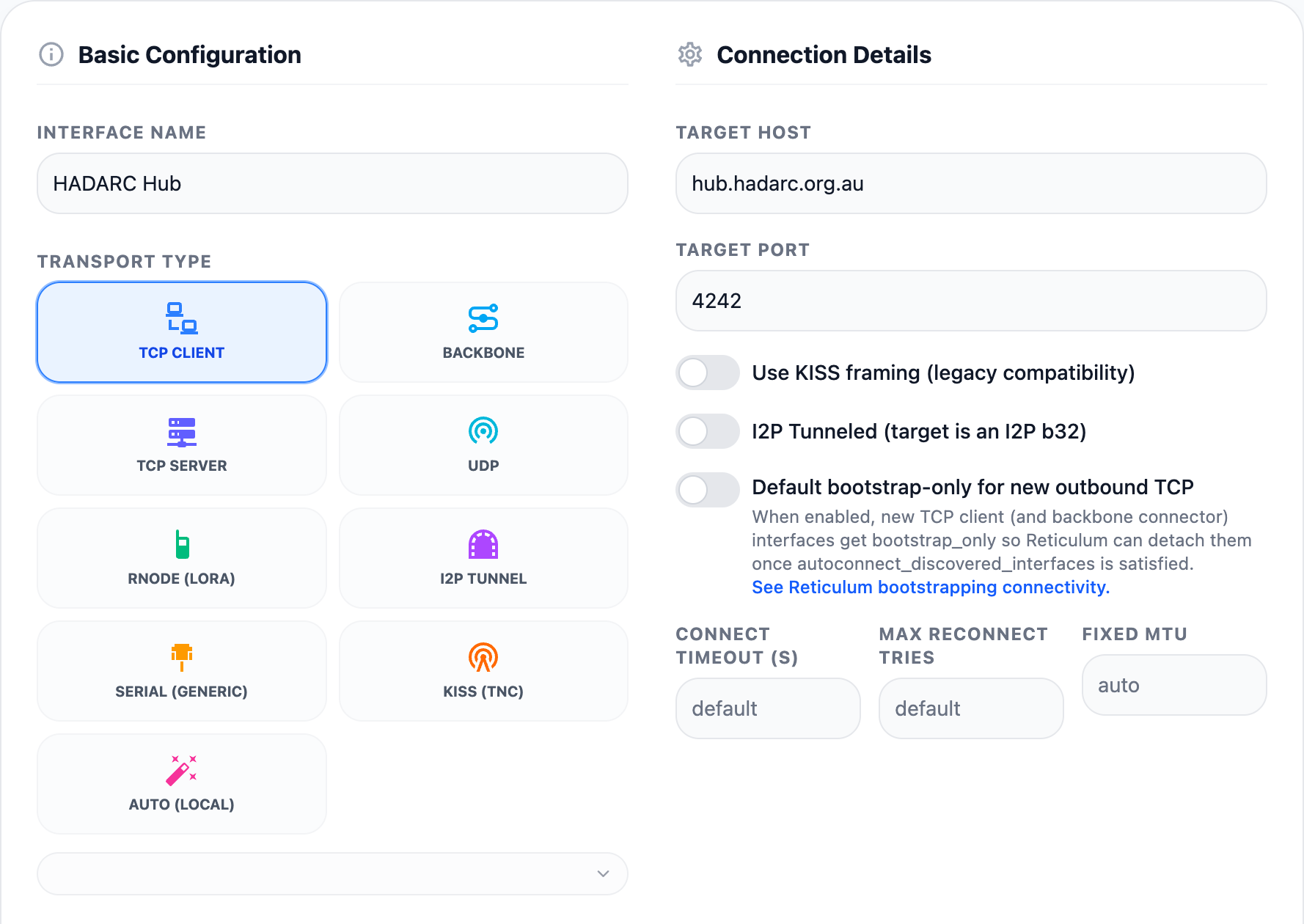
Click on Restart Now

Start Messaging
Go to the Messages section
In the second column click on ANNOUNCES
You should see a list of LXMF destinations you can try. Just click on one that looks interesting and has announced recently then type and send a message.
You can try joining the HADARC group chat at LXMF address e3fa13af7673165f6d9ba464cb3728a9
Browse a Page on the Nomad Network
Go to the Nomad Network section
Click on Open a Nomadnet URL
Enter 429572a04001a8023bf4c2518e34f95b
Alternately look for recently seen nodes in the Announces list.
Join a Reticulum Relay Chat
Go to the Relay Chat section
Click on Add a hub
Under Hub Destination Hash enter e7fd7f9efd6608ca4ade879d18646eed then click Add Hub
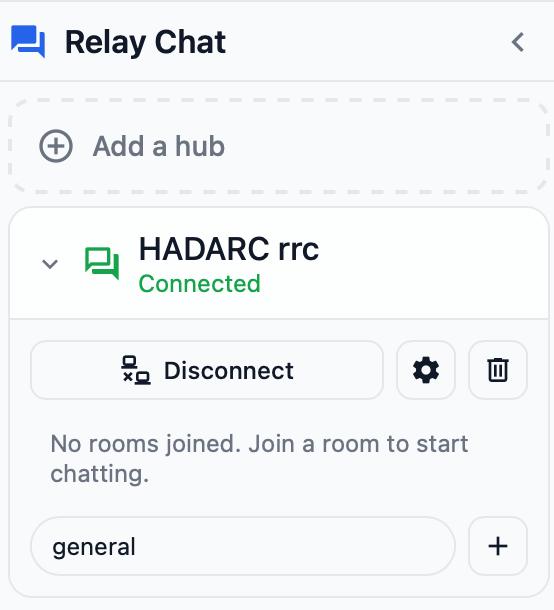
In the Room Name field enter general and click the + then click on # general and start chatting.
Follow the links on the Home Page, similar to using a web browser
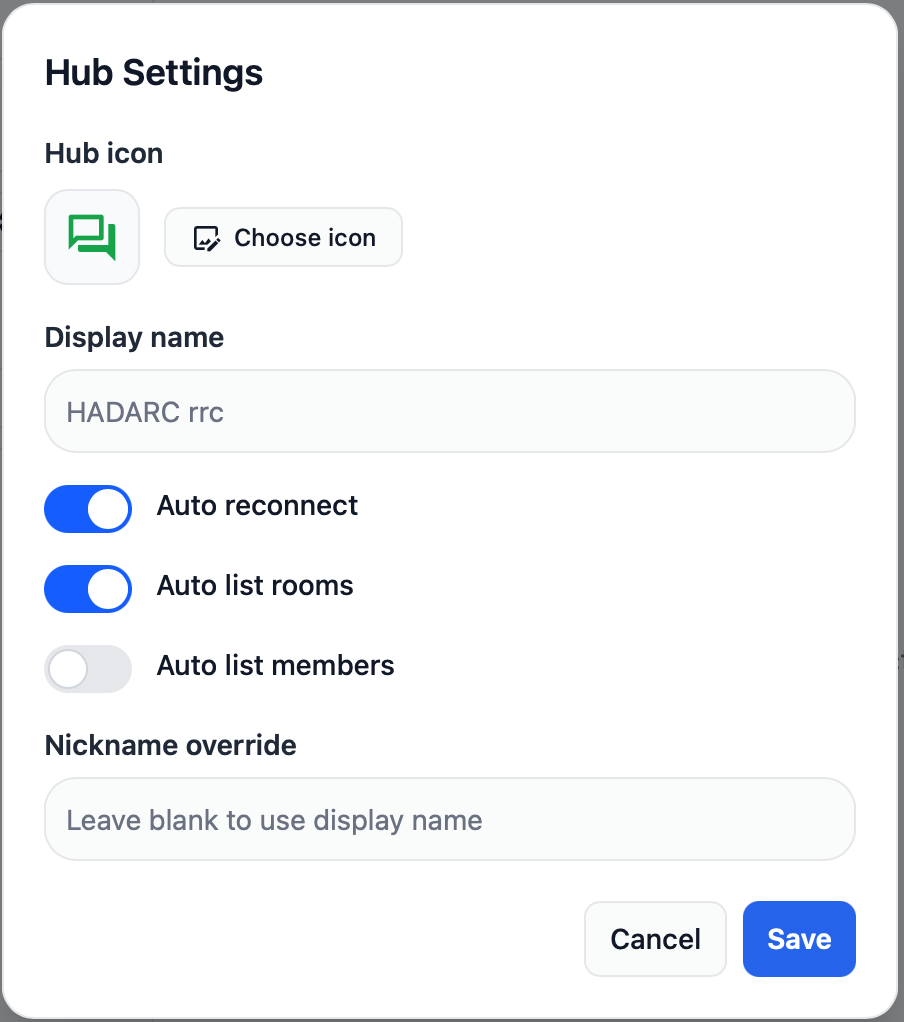
Click on the gear icon and Select Auto List Rooms
Add an RF interface
This is where Reticulum starts to make sense for Amateurs, using RF to carry the data.
The simplest place to start is to use an RNode. These use common Microcontroller dev boards with LoRa radios in the ISM band.
I have had good results with the Heltec Wireless Stick Lite which can easily be purchased online.
We are using the following settings for LoRa
What’s Next
Reticulum is more than a messaging system, it’s a complete network stack supporting just about anything that runs over networks. This includes things like file transfers and even real time traffic such as voice and video.
Probably the most interesting aspect for Amateur Radio enthusiasts is the ability of Reticulum to work over low speed radio links.
To that end a number of HADARC members are setting up LoRa radios around the Hornsby area. If you are interested in participating please follow this guide and send a message to the HADARC LXMF Group asking how to set up an RNode and where the existing RNodes are located
Read more at https://reticulum.network